LOYALTY & MULTI-LEAGUE DISCOUNTS, PAYMENT OPTIONS
LOYALTY DISCOUNTS
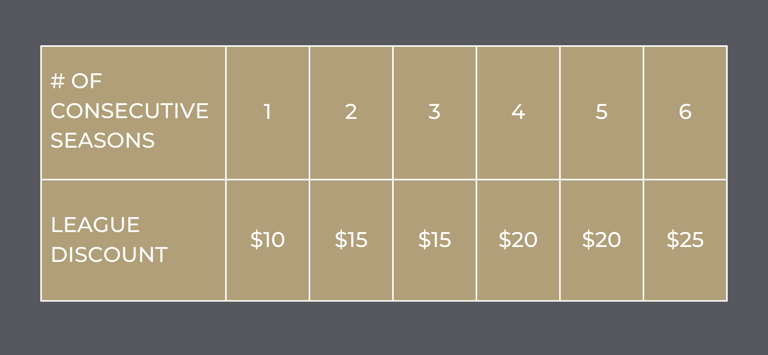
In 2026 we are introducing Loyalty Discounts to reward Leaguers that throw consistently season after season. If you're currently enrolled in Season 5, 2026 you already qualify for loyalty discounts in Season 6 of 2026. If you qualified for a loyalty discount last season, you automatically qualify for a $15 discount in Season 6.
For each NEW league you're in Season 5, you'll receive $10 off in Season 6. This discount goes up throughout the year to a max of $25/league. These apply to regular leagues (7 week or 5 week) but do not apply to marathon leagues.
There will be a deadline each season to make your booking in order to use these discounts, which will generally be playoffs but will be announced when we open registrations each season. Season 6's deadline to use these codes is 10/16 (this is a firm deadline, book ASAP!)
LOYALTY DISCOUNT CODES
For Season 6, the Loyalty Discounts have been automatically generated and are ready to use. Your discount for season 6 is your first initial + last name + 1 (whichever name you registered for Season 5 under). For Krista Paton, it would be KPaton1. If you are in 2 leagues this season, you will have 2 discount codes, the second one with the number 2 instead. Each loyalty discount code can only be used by you, and can only be used once.
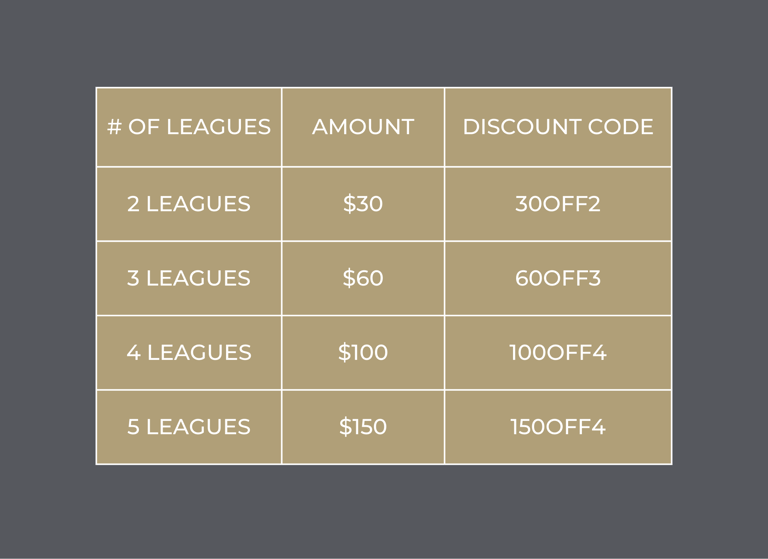
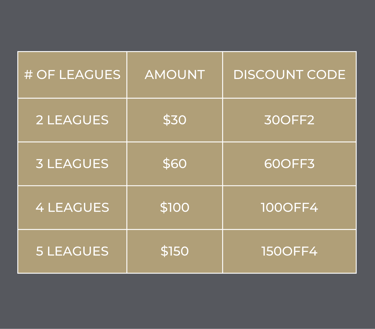
MULTI-LEAGUE DISCOUNTS
In 2026 we are expanding and deepening our multi-league discounts for those of you that choose to hang out with us several times per week. These discounts are COMBINABLE with the loyalty discounts, but are not combinable with other discounts.
APPLYING DISCOUNT CODE + COMBINING DISCOUNTS
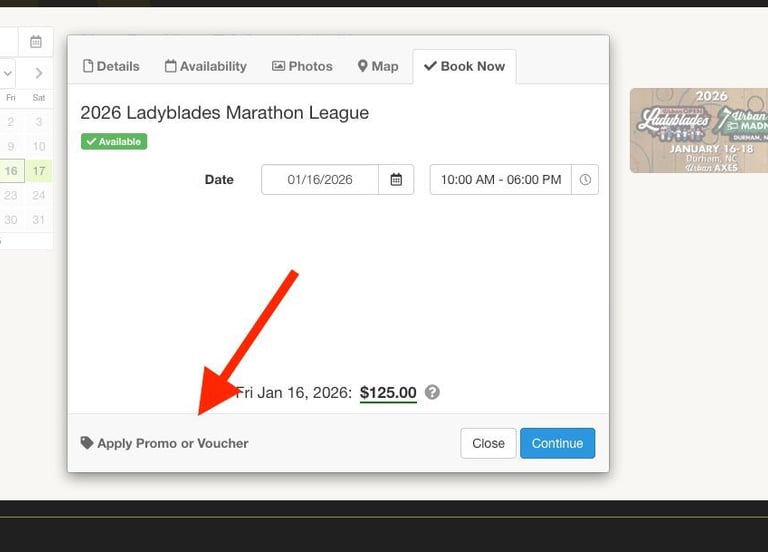
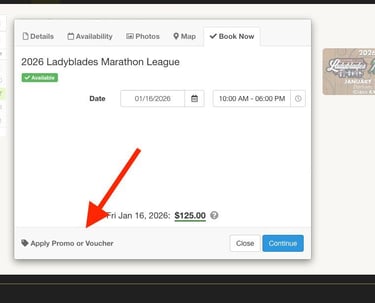
When you book the first league, if you have a Loyalty Discount or BILLME* payment plan, add the discount code by hitting the "Apply Promo or Voucher" button BEFORE hitting the Continue button.
Then, if you want to add another league, click "Add to Booking" on the top left just above your league name.
To add the multi-league discount, you need to add that the Multi-League item (you'll see it as an item where you see your league nights to book) in addition to your leagues. Then click on Apply Promo or Voucher and add the multi-league discount (listed above) that you are eligible for.
*If you are doing BILLME payment plan (described below) you will only add that discount code, and then note which discount codes you are eligible for in the notes
DISCOUNT EXAMPLES

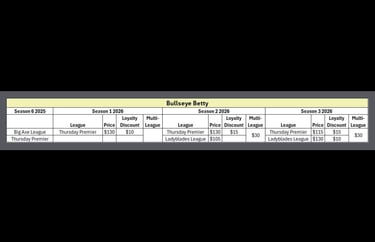
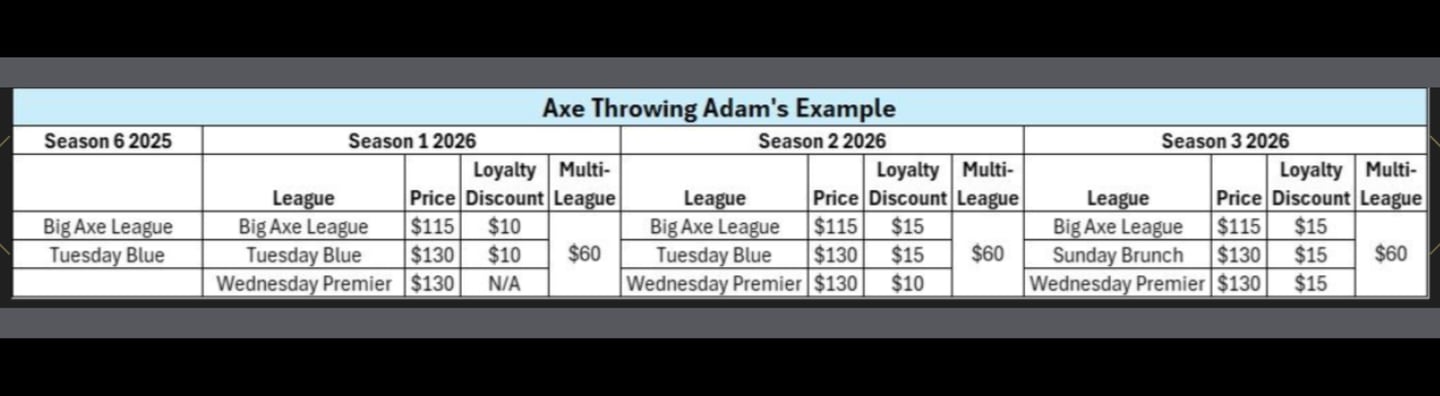
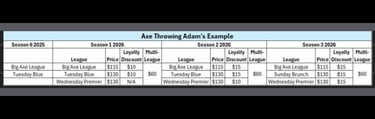
PAYMENT OPTIONS
For the first time, we are introducing the option to pay in installments for our leagues. When booking, add all the things you want in ONE booking and use the discount code BILLME and it will take your balance to $0. Please put in the notes of the booking which discount codes you are using (Loyalty Discounts, Multi-League etc), if any. Urban Axes will send you an invoice via Square. You will enter the credit card you want to pay with and MUST ENABLE SAVE CARD ON FILE.
Season 6 payments: Payments will be split evenly by WEEK between 10/9 & 11/13. When you sign up will determine how many payments are made.
Example 1: You make your booking on October 1st, you will pay 1/6 respectively on every friday from 10/9-11/13.
Example 2: You book your leagues on October 21st, you will pay 1/3 respectively on each of the fridays starting 10/30.
If you decide to cancel any or all of your leagues before the season starts, you will receive a full refund minus a $5 administration fee (total, not per league). After the league starts, the payments are non refundable and must be paid in full. Declined payments, or failure to make timely payments will result in exclusion from league and league practice until payments are caught up. Contact leagues@urbanaxesbaltimore.com if at any point you need to make alternate arrangements.
Contact
Questions? Reach out anytime!
EMAIL hello@urbanaxesbaltimore.com
PHONE (240) 389-2937
© 2025. All rights reserved.


Urban Axes is a founding member of the International Axe Throwing Federation